 AttestOS
AttestOS documentation
Everything you need to protect a form in about ten minutes, and the details behind it.
Quick start
- Create a free account and add a site with the domains your form runs on (add
localhosttesting is allowed by default). - Copy the site key (public) and the secret key (shown once: store it in your server's environment as
ATTESTOS_SECRET). - Add the script and a
<div class="attestos">inside your form. - On submit, your server posts the hidden field
attestos-responseand your secret to/api/siteverifyand only proceeds whensuccessis true.
The portal
Your account at /app/ holds your sites, keys, policy, stats and plan. The Setup tab gives you copy-paste snippets with your site key filled in.
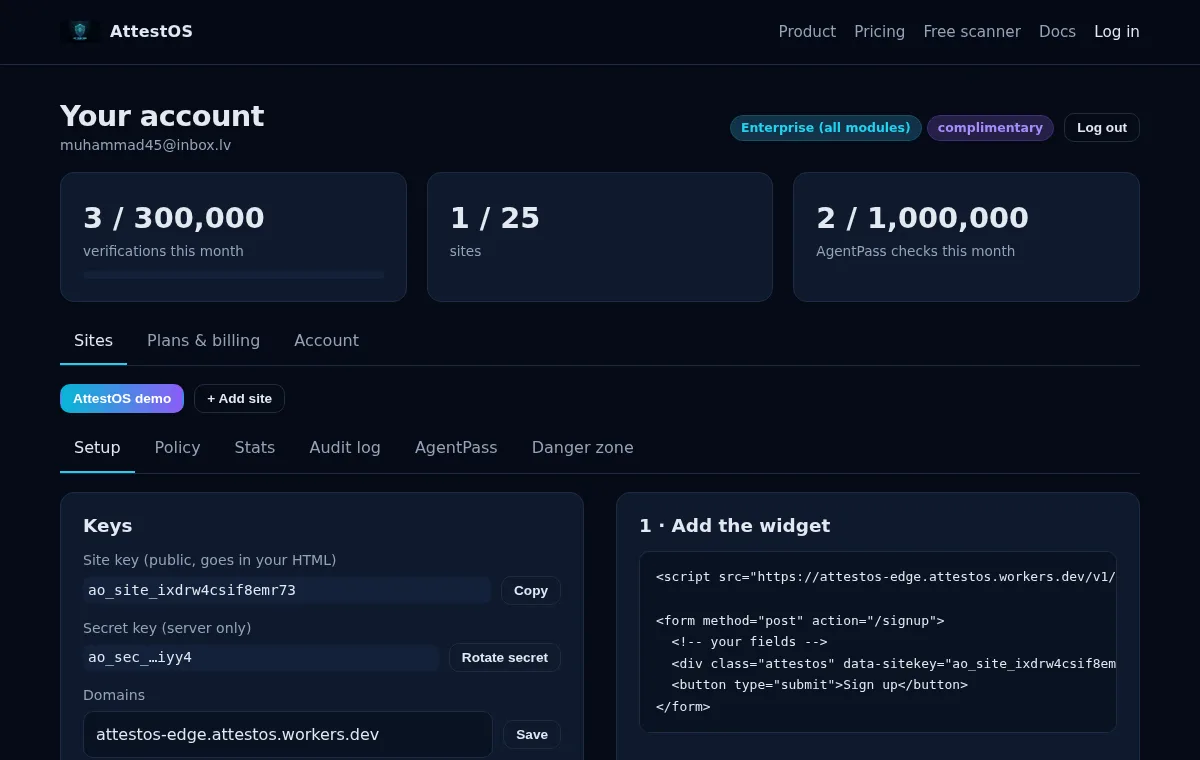
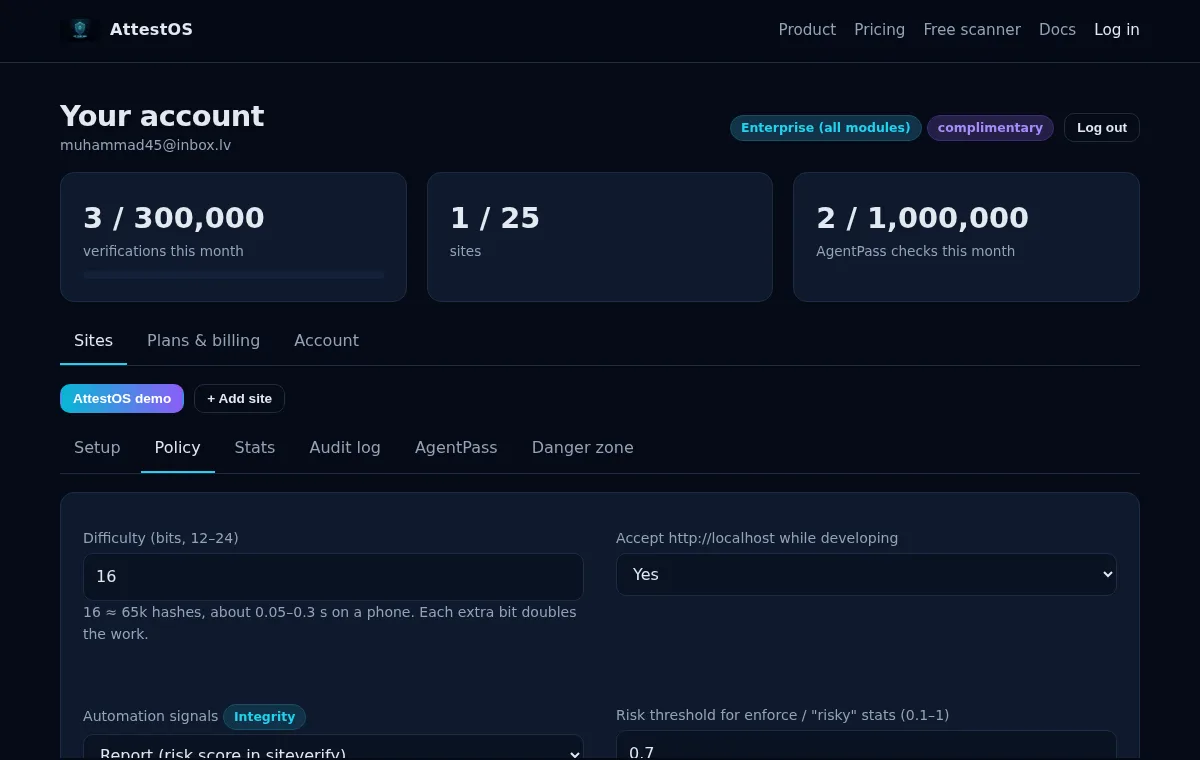
The Policy tab controls difficulty, localhost testing, automation signals, adaptive difficulty, surge alerts, Private Access Tokens and the passkey RP ID. Stats and Audit log show what happened per day and per token.
Widget
<script src="https://attestos-edge.attestos.workers.dev/v1/attestos.js" async defer></script>

<form method="post" action="/signup">
  <input name="email" type="email" required>
  <div class="attestos" data-sitekey="ao_site_…"></div>
  <button type="submit">Sign up</button>
</form>
On load the widget fetches a challenge, solves it in a Web Worker (falling back to short main-thread slices if your CSP forbids blob: workers), redeems the solution for a pass token and writes it into a hidden input named attestos-response. Tokens live 5 minutes; the widget refreshes them every 4 minutes and solves a fresh one after each submit. A small "Protected by AttestOS" badge shows the state.
| Attribute | Meaning |
|---|---|
data-sitekey | Required. Your site key. |
data-badge="hidden" | Hide the badge (please mention AttestOS in your privacy policy instead). |
data-response-field="name" | Use a different hidden-field name (default attestos-response). |
data-callback="fnName" | Global function called with the token each time one is ready. |
JavaScript API
// For single-page apps: render into an element and read the token yourself
const w = AttestOS.render(document.getElementById("captcha"), { sitekey: "ao_site_…", callback: (t) => {} });
w.getResponse();   // current token or ""
w.reset();         // discard and solve a fresh one (call after each submit)

// Or one-shot, no UI:
const token = await AttestOS.execute("ao_site_…");
Content-Security-Policy: allow script-src https://attestos-edge.attestos.workers.dev and connect-src https://attestos-edge.attestos.workers.dev; add worker-src blob: for the faster worker solver.
Server verify
POST /api/siteverify accepts JSON or form-encoded secret and response (a remoteip field is accepted and ignored). Each token verifies once.
{
  "success": true,
  "challenge_ts": "2026-10-27T21:04:11.000Z",
  "hostname": "shop.example",
  "method": "pow",            // pow | pat | passkey
  "risk": 0.12,               // IntegrityRuntime Pro, signals on
  "signals": [],              // names of automation signals seen
  "error-codes": []
}// Express: app.use(express.urlencoded({ extended: false }))
app.post("/signup", async (req, res) => {
const v = await fetch("https://attestos-edge.attestos.workers.dev/api/siteverify", {
method: "POST",
headers: { "content-type": "application/json" },
body: JSON.stringify({ secret: process.env.ATTESTOS_SECRET, response: req.body["attestos-response"] }),
signal: AbortSignal.timeout(5000),
}).then((r) => r.json()).catch(() => ({ success: false, "error-codes": ["network-error"] }));
const failOpen = (v["error-codes"] || []).some((c) => c === "quota-exceeded" || c === "network-error");
if (!v.success && !failOpen) return res.status(400).send("Bot check failed, please retry");
// … create the account
});<?php
$ch = curl_init("https://attestos-edge.attestos.workers.dev/api/siteverify");
curl_setopt_array($ch, [
CURLOPT_POST => true, CURLOPT_RETURNTRANSFER => true, CURLOPT_TIMEOUT => 5,
CURLOPT_HTTPHEADER => ["content-type: application/json"],
CURLOPT_POSTFIELDS => json_encode(["secret" => getenv("ATTESTOS_SECRET"), "response" => $_POST["attestos-response"] ?? ""]),
]);
$raw = curl_exec($ch);
$v = $raw ? json_decode($raw, true) : ["success" => false, "error-codes" => ["network-error"]];
$failOpen = array_intersect($v["error-codes"] ?? [], ["quota-exceeded", "network-error"]);
if (empty($v["success"]) && !$failOpen) { http_response_code(400); exit("Bot check failed, please retry"); }# Flask
import os, requests
from flask import request, abort
def attestos_ok() -> bool:
try:
v = requests.post("https://attestos-edge.attestos.workers.dev/api/siteverify",
json={"secret": os.environ["ATTESTOS_SECRET"], "response": request.form.get("attestos-response", "")},
timeout=5).json()
except requests.RequestException:
return True # fail open on network errors
return v.get("success") or "quota-exceeded" in v.get("error-codes", [])
@app.post("/signup")
def signup():
if not attestos_ok():
abort(400, "Bot check failed, please retry")Error codes
| Code | Meaning |
|---|---|
missing-input-secret / invalid-input-secret | No secret, or it doesn't match any site (rotated?). |
missing-input-response / invalid-input-response | The form didn't carry a token, or it is malformed, forged, or was issued for a different site than this secret. |
timeout-or-duplicate | Older than 5 minutes, or already verified once. |
site-disabled | The site is paused or deleted in your dashboard. |
quota-exceeded | Your account is more than 10% over its monthly verifications. |
internal-error | A temporary problem on our side (HTTP 500). Retry once, then fail open as below. |
Failing open
We'd rather you never lose a real sign-up because of us. The examples above treat quota-exceeded and network failures as "let through", so an outage or an over-quota month degrades to "no bot check" instead of "no sign-ups". If the form protects something sensitive (password reset, payments), fail closed instead.
Policy
| Setting | Default | Notes |
|---|---|---|
| Difficulty | 16 bits | 12–24. Average work is 2bits hashes; a phone does roughly 0.5–2 million per second. |
| Accept localhost | on | Lets you test on http://localhost without adding it as a domain. Turn off in production if you like. |
| Adaptive difficulty | on | IntegrityRuntime Pro. Above the surge threshold per minute (per Cloudflare location) difficulty rises by 1 bit, and by 2 bits above twice the threshold. |
| Surge alert webhook | off | IntegrityRuntime Pro. Slack- or Discord-compatible URL, at most one alert per site per hour. |
| Private Access Tokens | on | Hardware Gateway Pro. See below. |
Risk signals (IntegrityRuntime Pro)
With signals on, the browser facts the widget sends when it redeems a solution are scored: navigator.webdriver (webdriver), a headless or automation user agent (headless_ua), a DevTools-protocol hook (cdp_runtime), a software WebGL renderer such as SwiftShader or llvmpipe (software_gpu), a JavaScript user agent that differs from the request's (ua_mismatch), no languages (no_languages), a zero-size window (zero_window), desktop Chrome with no plugins (no_plugins_desktop_chrome) and a solve faster than JavaScript can run (native_speed_solver). Each named signal adds weight; the total (0–1) comes back as risk with the signal names. In report mode you decide what to do with it; in enforce mode a solve above your threshold is refused at redemption, so no token is issued and the form carries none (siteverify then answers missing-input-response).
These are honest heuristics, not magic: a well-built bot can hide them. Use the score together with your own rate limits.
Limits & quotas
| Plan | Verifications / month | Sites | Domains / site | Passkeys / site | Agent checks |
|---|---|---|---|---|---|
| Loading… | |||||
Usage counts all sites in your account and resets on the 1st (UTC). You can go 10% over before quota-exceeded. Challenges are also rate-limited per IP at the edge to stop floods.
Passkeys
AttestOS can be the WebAuthn back end for passwordless login on your site: we keep the public keys and counters; you keep your users. Free plans hold 50 passkeys per site.
// 1. Register. Your BACKEND (the user is logged in there) asks for options with your secret:
//    POST /api/v1/passkeys/register/begin  { "secret": "ao_sec_…", "user_id": "u_123", "user_name": "ada@example.com" }
//    and hands the JSON answer to the page, which creates the credential:
await AttestOS.passkey.register(beginJsonFromYourBackend);

// 2. Log in (no secret needed in the browser). Optional userId narrows the allowed credentials.
const { token, user_id } = await AttestOS.passkey.login({ sitekey: "ao_site_…" });
// Send token to your backend → /api/siteverify → { success: true, method: "passkey", user_id: "u_123", … }
Your backend can list and remove a user's passkeys with POST /api/v1/passkeys/list {secret, user_id?} and POST /api/v1/passkeys/delete {secret, credential_id}.
The RP ID defaults to the site's first domain; set it in Policy if your login runs on a parent domain. ES256, RS256 and Ed25519 keys are supported; signature counters are checked to catch cloned authenticators.
Private Access Tokens (Hardware Gateway Pro)
Private Access Tokens (Privacy Pass, RFC 9576–9578, token type 2) let a device prove "a real, unmodified device vouches for this request" without revealing who the user is. When enabled, the widget first calls /api/v1/pat/probe; we answer with a WWW-Authenticate: PrivateToken challenge, the browser fetches a token from its issuer, and we verify the RSA blind signature against the issuer's published key. If that works the visitor skips the proof-of-work entirely and siteverify reports method: "pat".
Honest caveats: today this mostly means Safari on iOS/iPadOS 16+ and macOS Ventura+ with Automatic Verification turned on (the default). Apple only hands tokens to issuers it works with, so we verify tokens from the issuers listed in our configuration; every other visitor falls back to Ghost-PoW automatically, so nobody is locked out.
AgentPass (AgentPass Pro)
Ask AgentPass, per request, what to do with an automated visitor. Call it from edge middleware (a Cloudflare Worker, Vercel middleware, Nginx with a sub-request…):
POST /api/v1/agent/check
{ "secret": "ao_sec_…", "user_agent": "GPTBot/1.2", "ip": "20.171.207.1", "path": "/article/42", "agent_key": null }

→ { "action": "charge", "status": 402, "category": "training", "agent": "GPTBot", "operator": "OpenAI",
    "verified": true, "price_usd": 0.002, "checkout_url": "https://whop.com/checkout/…",
"headers": { "link": "<https://whop.com/checkout/…>; rel=\"payment\"", "x-agentpass-price-usd": "0.002" } }- Categories: search crawlers, model-training crawlers, user-triggered assistants, unknown bots. Pick allow, charge (HTTP 402 with your payment link) or block for each.
- Verification: Googlebot, Bingbot, Applebot, GPTBot, OAI-SearchBot, ChatGPT-User, PerplexityBot and Perplexity-User are checked against the IP ranges their operators publish (refreshed daily). A request that claims to be one of them from another IP is blocked when verification is on. Operators that publish no ranges are classified by user agent only and reported with
verified: null. - Agent keys: when an AI company pays you, mint a key in the portal (optionally with a request quota). Requests carrying it in
agent_keyare allowed. - If the monthly check quota is exceeded the answer is
allowwithquota_exceeded: true: fail open, never break your site.
We never touch the money: the 402 points at your own checkout.
robots.txt AI rules generator
robots.txt is a polite request; well-behaved crawlers follow it. Pick what to allow and paste the result into your robots.txt (AgentPass enforces it for the ones that don't).
Billing
Plans are monthly subscriptions sold on Whop. Buy with your AttestOS email and confirm that email in the portal; the plan attaches within seconds (Whop sends us a signed webhook). If you bought before creating an account, the purchase email contains a claim link that creates your account with the plan attached. Cancel in Whop → Memberships; you keep the plan until the period ends, then drop to free limits. Sites above the free limits keep working; you just can't add more.
Security model
- Challenges are HMAC-signed with a server secret, bound to the site key, the page's hostname, an expiry (5 minutes) and the difficulty the server chose. The client can't lower the difficulty.
- A pass token verifies once, and every token minted from the same solved challenge shares one id, so exactly one of them can ever verify: a solve can't be farmed into several passes. This is enforced in the database.
- Secret keys are stored as SHA-256 hashes and shown once. Rotating a secret invalidates the old one immediately.
- Report vulnerabilities to the address in security.txt.